halotool
Weekly updates on the latest AI products and tools, helping you stay ahead in the fast-moving AI world.
Jun 02 • 4 min read
Local AI tools for builders and teams
Local AI tools for builders and teams
Curating local-first, AI-native tools that respect privacy and boost productivity.
HaloTool Weekly

This week, we're spotlighting tools that prioritize privacy and performance by running AI locally. From system-wide autocomplete to collaborative agent workspaces, these picks let you harness AI without sending data to the cloud. Whether you're a solo developer or part of a product team, these tools offer practical, context-aware assistance that respects your workflow and your data. We've balanced categories to include writing, coding, productivity, and design resources, ensuring something for every builder.
This week's picks
A short guide to what each product does, where it fits, and why it stood out this week.
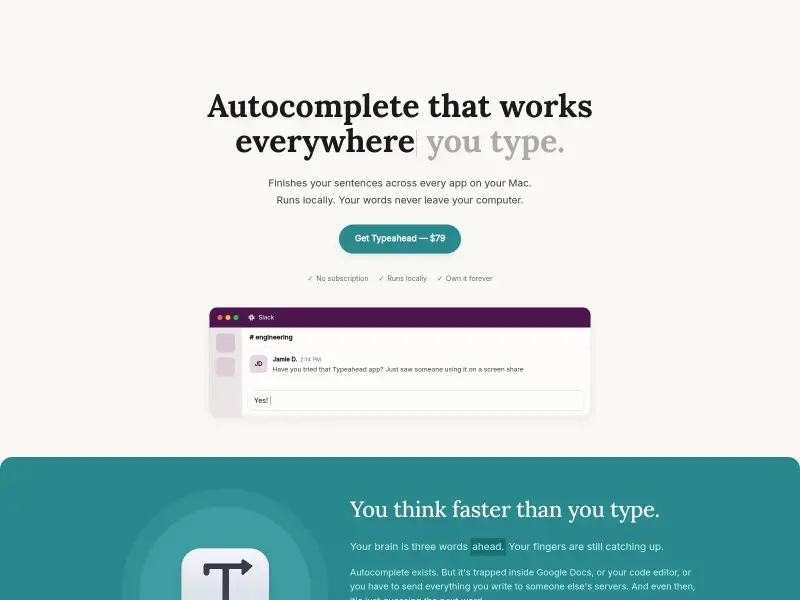

System-wide AI autocomplete that works in every app on your Mac, runs locally.
Typeahead brings AI autocomplete to every Mac app—Slack, Gmail, Notion, and more—without sending a keystroke to the cloud. It runs locally on Apple Silicon, learns your writing style over time, and offers inline predictions with zero lag. The one-time purchase model is a welcome change from subscriptions. If you spend hours typing daily, this could save you a significant chunk of time while keeping your data private. Typeahead is a native macOS app that provides AI-powered autocomplete across every application on your Mac. It runs entirely locally on Apple Silicon, ensuring your words never leave your computer. The AI learns your writing style over time, offering personalized suggestions that feel natural. With
Why it stood out
- Inline autocomplete in every Mac app
- 100% local AI processing, no cloud
- Learns and adapts to your writing style


Build your own AI desktop with apps, shared context, and personal memory, all locally.
Wandesk is a free, local AI desktop that lets you build custom apps just by describing what you want. It integrates with Claude, Codex, DeepSeek, OpenAI, and more, and all apps share context and personal memory. No signup required, works offline, and runs on macOS and Windows. For builders who want to prototype ideas quickly without leaving their machine, Wandesk offers a flexible, no-code sandbox with real AI muscle. Wandesk is a free, local AI desktop that lets you build custom apps just by describing them. It integrates with any OpenAI-compatible AI (Claude Code, Codex, DeepSeek, OpenAI, Kimi, Qwen). Apps share context and have built-in AI capabilities. Personal memory remembers your preferences. No signup r
Why it stood out
- App Workshop: generate complete local apps by describing them
- Built-in apps: Notebook, Ledger, Chat, Memory, Open Source Radar
- Shared context across all apps
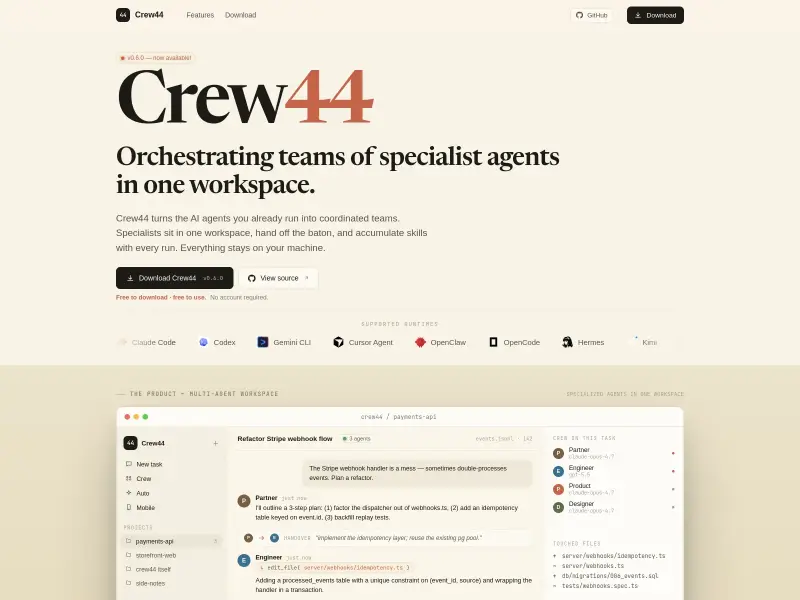

Orchestrate teams of specialist AI agents in one local-first workspace.
Crew44 transforms AI coding agents into coordinated teams of specialists: Partner, Engineer, Product Lead, Designer. Each role runs on its best-fit model with long-term memory, and agents work in parallel, handing off context seamlessly. A background Partner mines run history to propose improvements. Everything stays on your machine—no cloud account needed. For teams exploring multi-agent workflows, this is a well-designed, local-first sandbox. Crew44 is a local-first, open-source workspace that turns AI coding agents into coordinated teams of specialists. Each role (Partner, Engineer, Product Lead, Designer) runs on its best-fit model with long-term memory and skills that compound across tasks. Agents work in
Why it stood out
- Multi-agent workspace with role specialization (Partner, Engineer, Product Lead, Designer)
- Per-agent model binding — each role runs on its best-fit AI model
- Long-term memory and skills that compound across runs, stored as plain files


Adds your rough edges to AI drafts so they sound human.
Imperfectly learns your tone, rhythm, and quirks from your writing across platforms, then drafts messages that sound like you—not a generic bot. Its Humanity Dial lets you adjust imperfection level and mood injection. Privacy-first: patterns are kept, content discarded. No data sales. For anyone tired of AI-generated text that feels robotic, Imperfectly adds the rough edges that make communication feel human. imperfectly learns your tone, rhythm, shortcuts, and quirks from your actual writing across platforms. It then drafts messages that sound like you, not generic AI. Features like the Humanity Dial let you control imperfection level and mood injection. Privacy-first: patterns are kept, content is discarded.
Why it stood out
- Learns your writing patterns from connected platforms
- Humanity Dial to control imperfection level
- Mood injection for emotional tone
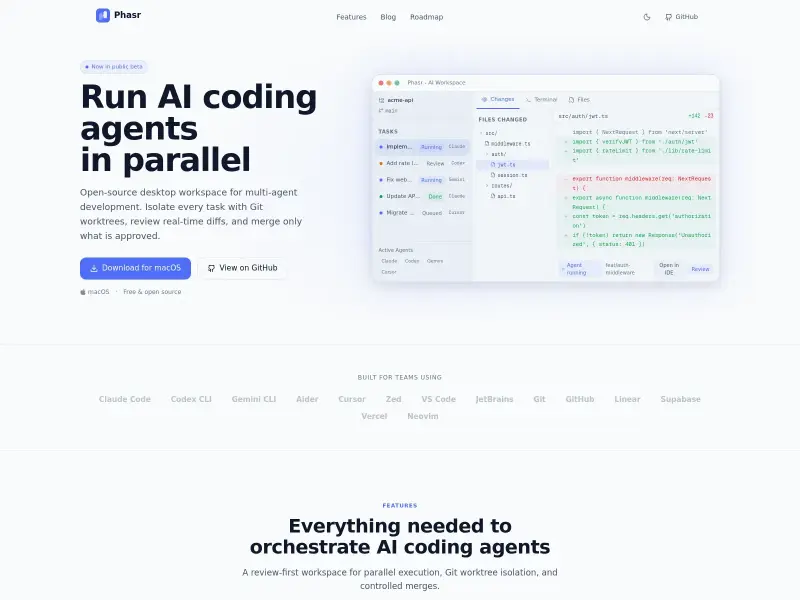

Open-source desktop workspace for running parallel AI coding agents with Git worktree isolation.
Phasr is an open-source desktop workspace that lets you run multiple AI coding agents in parallel without file collisions. Each agent works in its own isolated Git worktree, and you can review real-time diffs before merging. It supports Claude Code, Codex, Gemini CLI, Cursor, Aider, and more. If you're juggling multiple AI-generated code changes, Phasr keeps them organized and gives you human-in-the-loop control. Phasr is a free, open-source AI code editor that lets you run multiple coding agents in parallel. Each agent works in its own isolated Git worktree, preventing file collisions. Real-time diffs, per-agent status tracking, and human-in-the-loop review workflows ensure you stay in control before merging.
Why it stood out
- Run dozens of AI coding agents in parallel without conflicts
- Git worktree isolation for each agent task
- Real-time file-level diffs and change summaries
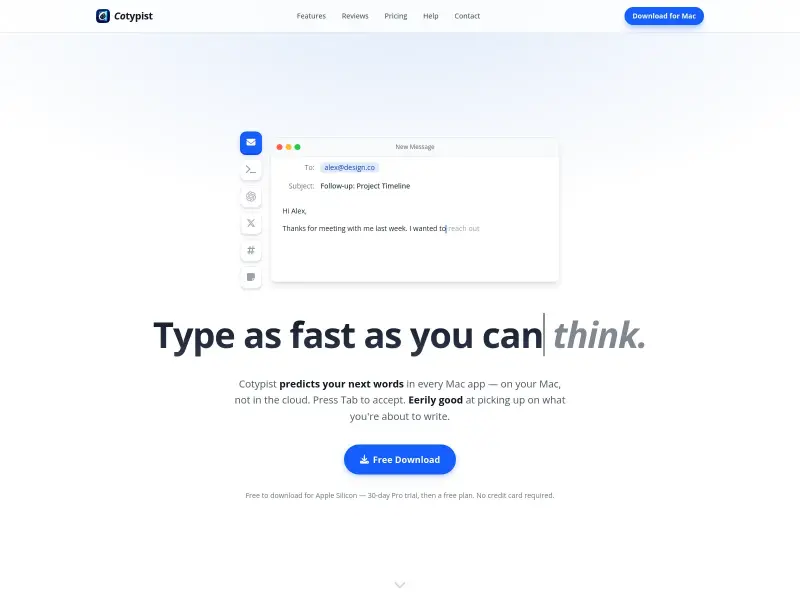

Smart autocomplete for Mac that predicts your next words in every app.
Cotypist offers AI-powered autocomplete for Mac, predicting your next words as you type across any app. It runs entirely on-device, works offline, and supports multiple languages. Suggestions appear inline and can be accepted word-by-word with Tab. The free tier gives 100 completions per day; Plus and Pro plans for heavier use. For everyday typing in email, documents, or Slack, Cotypist reduces keystrokes while keeping your data local. Cotypist is an AI-powered autocomplete tool for Mac that runs entirely on-device, predicting your next words as you type in any application. It offers seamless integration with apps like Mail, Slack, Notion, and browsers, reducing keystrokes by up to 50%. Suggestions appear inlin
Why it stood out
- Inline text predictions in every Mac app
- Word-by-word acceptance with Tab key
- Fully on-device processing, no cloud, works offline

Weekly updates on the latest AI products and tools, helping you stay ahead in the fast-moving AI world.